A BTC to XMR exchange is one of the simplest ways to improve privacy when using cryptocurrency. Bitcoin transactions are public and permanent. Anyone can see where coins come from and where they go. This guide explains how to exchange Bitcoin to Monero in clear, simple English.
Why people do a BTC to XMR exchange
Bitcoin is not private. Every transaction is recorded on a public blockchain forever. Today, tracking tools make it easy to follow transaction history, and many exchanges actively monitor coin origins.
In the past, people used Bitcoin mixers to hide activity. These no longer work well. Most mixed coins can still be traced, and many exchanges block or flag them.
Monero was built for privacy. It hides the sender, the receiver, and the transaction amount by default. Because of this, Monero is widely used by people who care about financial privacy.
By exchanging Bitcoin to Monero, you remove the public link to your past Bitcoin transactions. The process usually takes less than one hour and often costs under one percent.
Step 1: Install Tor Browser (optional)
Tor Browser helps hide your internet activity and allows access to onion websites. It works like a normal browser but adds an extra layer of privacy.
You can download it from the official website at torproject.org.
Using Tor is optional, but many people prefer it when doing a BTC to XMR exchange.
Step 2: Create a Monero wallet
Before exchanging Bitcoin to Monero, you need a wallet to receive XMR.
Popular options include Feather Wallet for desktop, MyMonero for web use, and Cake Wallet for mobile devices.
After creating your wallet, back it up carefully. Write down the recovery words and store them safely. Then create a receiving address. A Monero address is a long string of letters and numbers and usually starts with the number 8.
Step 3: Exchange Bitcoin to Monero
This is the most important step. Exchanging BTC to XMR breaks the visible transaction history on the Bitcoin blockchain.
Many exchange services require accounts or identity checks. Some do not work well with Tor. If privacy matters to you, this defeats the purpose.
A commonly used option for a BTC to XMR exchange is GoblinSwap. It does not require registration, works with Tor, and usually completes swaps quickly.
Open Tor Browser and visit the service using its onion address:
hc2xv2pnk3wuotnvva43rvv4doyfemyildy4f4uqfoxmncchckybetyd.onion
Choose Bitcoin as the currency you send and Monero as the currency you receive. Enter the amount of Bitcoin and paste your Monero receiving address. Check the rate and limits, then confirm the exchange.
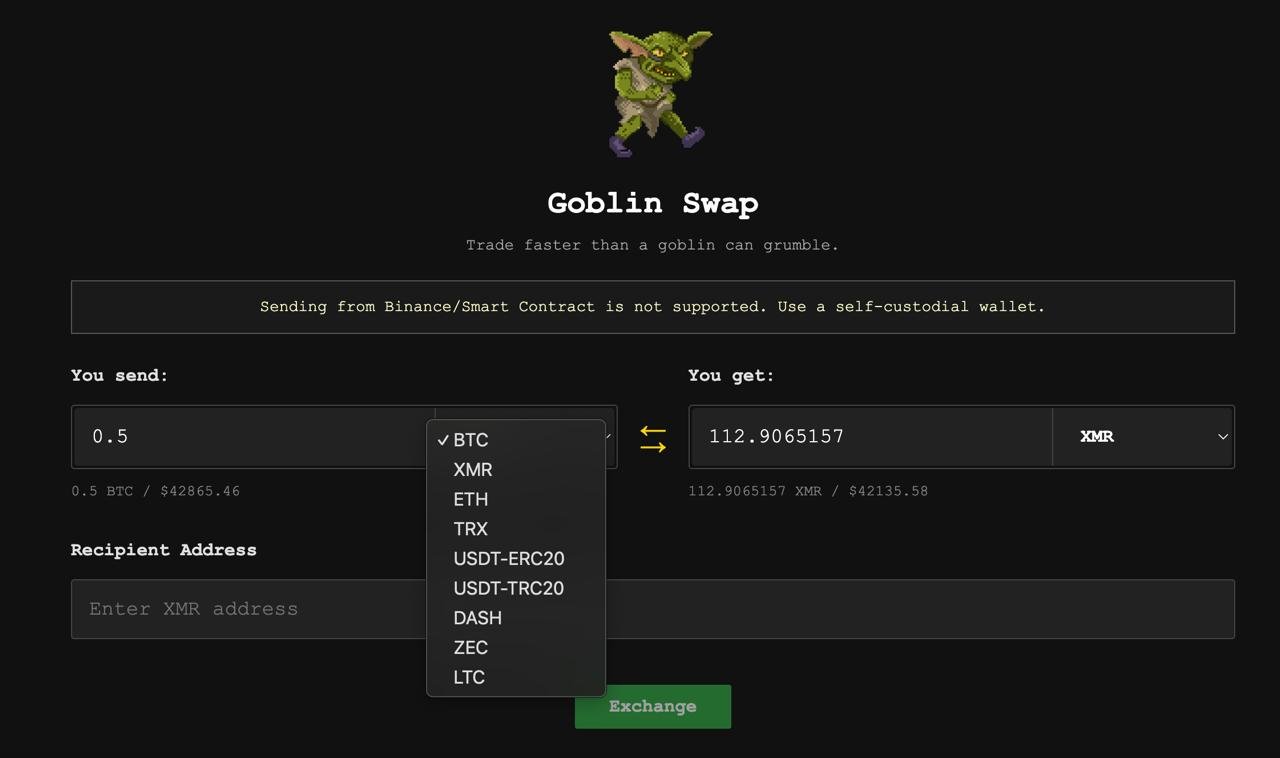
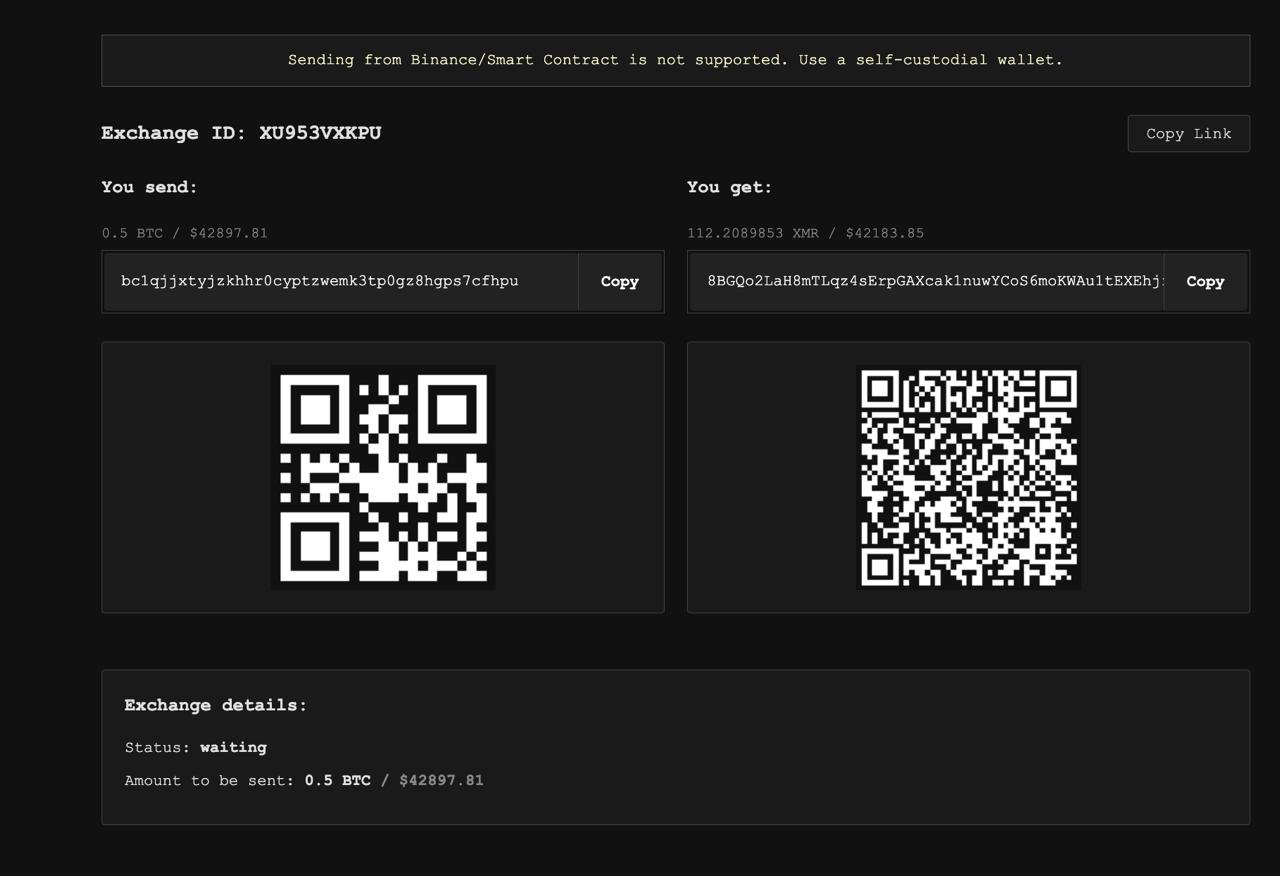
You will see a Bitcoin address where you must send your BTC. Save the order ID in case you need support later. After the Bitcoin transaction confirms, your Monero is usually delivered within minutes.
Step 4: Move your Monero inside your wallet
When your Monero arrives, send it to a new address inside your own wallet. You can also split the amount into two or three smaller transfers.
This step improves privacy and fully separates your Monero from the original BTC to XMR exchange.
Step 5: Use Monero or convert it back
At this point, your Monero is private. The original source of the Bitcoin cannot be traced.
You can now use your Monero, hold it, or convert it back into Bitcoin or another cryptocurrency. If you convert it back later, the new coins you receive will not be linked to your original Bitcoin history.
Final thoughts
A BTC to XMR exchange remains one of the most reliable ways to improve privacy in crypto. Mixers no longer work, but Monero continues to protect users by default.
By following this guide, you can exchange Bitcoin to Monero safely, quickly, and with a clear understanding of each step.